


Published June 2026 | Reviewed by X.One® Engineering Team
QUICK ANSWER
The eight common causes of slow phone charging in 2026, in order of likelihood: (1) underspec'd cable, (2) charger missing PD or PPS, (3) phone temperature throttling, (4) battery health below 80%, (5) dirty charging port, (6) wireless misalignment, (7) old battery management settings, (8) faulty cable wiring. Most are fixed in under 5 minutes once identified. The diagnostic flow below pinpoints which one is yours.

The Diagnostic Flow
Work through these in order. Most users find their issue in the first three.
1. Check your cable
The single most common cause of slow charging. Cables look identical on the outside but vary dramatically in internal capability:
- USB-C to Lightning (old iPhones): Must be MFi-certified for fast charging.
- USB-C to USB-C: Must be rated 60W or higher for phone fast charging.
- For Galaxy Super Fast Charging 2.0 (45W): Cable must support PPS — not all do.
- For laptop charging: 100W cable for MacBook Air / 14" MacBook Pro; 240W cable for 16" MacBook Pro PD 3.1 EPR.
Test: Try a different known-good cable. If charging speeds up dramatically, your cable was the bottleneck. The X.One® TitanFlex 240W covers every fast-charging scenario.
2. Check your charger
Even worse than a bad cable: a charger missing the right protocol.
- iPhone fast charging (27W): Requires USB-C PD. Old USB-A chargers cap at 12W max.
- Galaxy 45W Super Fast Charging: Requires PD 3.0 with PPS. Without PPS, capped at 25W.
- Wireless fast charging (15W+): Requires MagSafe or Qi2 charger; standard Qi caps at 7.5W on iPhone.
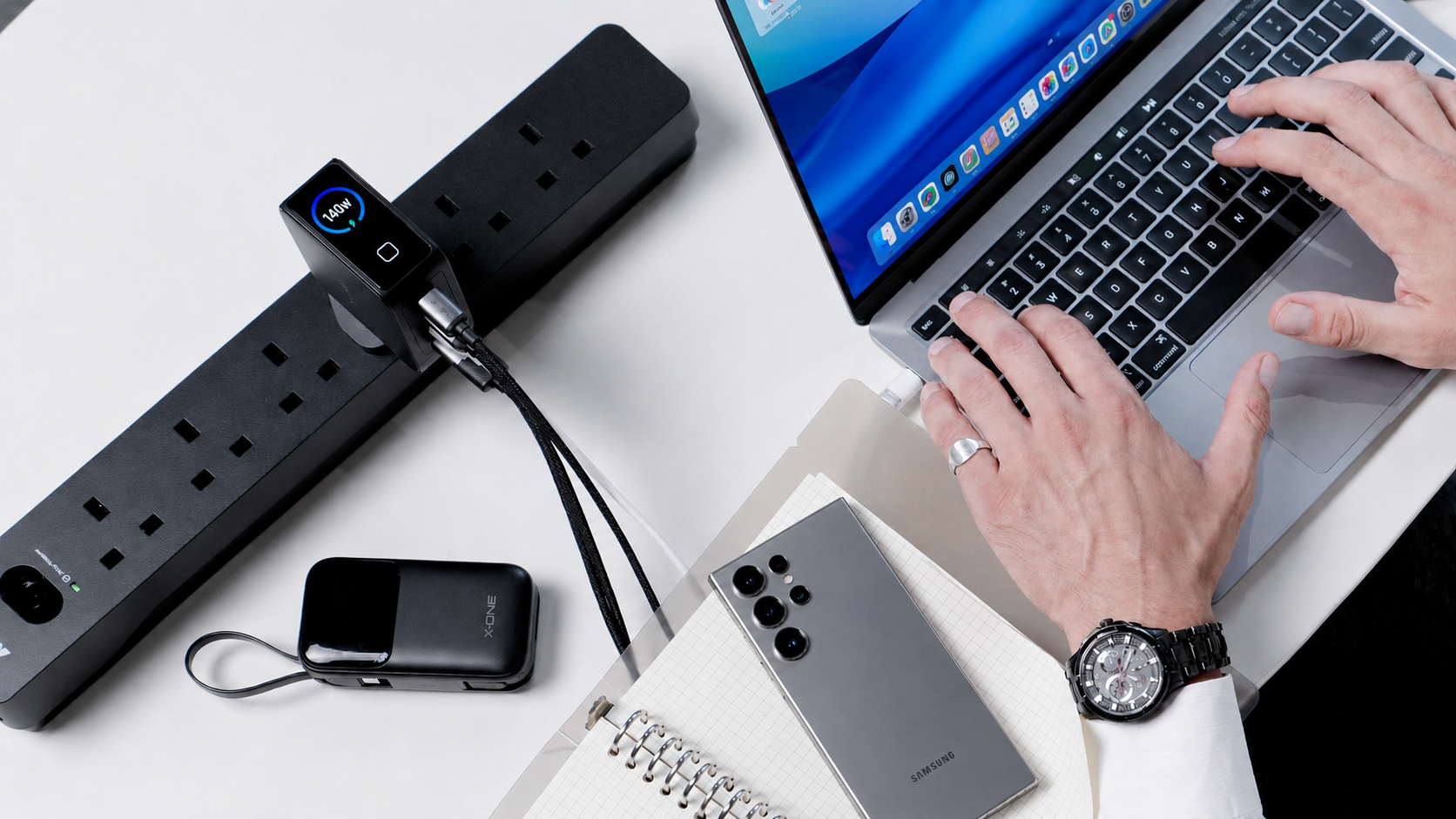
Test: Verify your charger's spec sheet supports PD and PPS. Quality GaN chargers (like the X.One® 65W GaN 6 Turbo) include both.
3. Check your phone's temperature
Lithium-ion batteries throttle charging speed when they get hot. This is a safety feature — high temperature + high charging current accelerates battery aging dramatically. Common heat sources:
- Phone in a thick case during charging
- Phone in direct sunlight
- Phone running heavy apps (gaming, video, GPS) while charging
- Hot ambient environment (parked car, beach)
- Wireless charging (which is inherently hotter than wired)
Test: Cool the phone (remove case, move to shade, close apps). Charging speed should recover within 10–15 minutes. If you frequently see throttling, this is a daily-use issue not a hardware problem.

4. Check your battery health
As batteries age, they accept charge more slowly. Above 90% health: full speed. 80–90%: slight slowdown. Below 80%: noticeably slower charging, especially in the last 20% of capacity.
iPhone: Settings → Battery → Battery Health & Charging → Maximum Capacity.
Galaxy: Settings → Device Care → Battery → check battery health (model-dependent path).
If health is below 80%, charging slowness is part of the symptom set; battery replacement is the fix.

5. Check the charging port
Lint, dust, and pocket debris build up in USB-C and Lightning ports over months. The contact resistance increases, current flow decreases, and charging slows. If the cable also feels "loose" in the port, this is almost certainly the issue.
Fix: Power off the phone. Use a wooden toothpick (never metal!) to gently scrape lint out of the port. Compressed air (light puffs) helps clear what the toothpick loosens. Don't use water, alcohol, or lubricants.

6. Check wireless charger alignment
If you charge wirelessly: the phone's charging coil must be perfectly aligned with the charger's coil. Even 5mm of misalignment drops efficiency dramatically.
- MagSafe / Qi2: Magnetic snap ensures perfect alignment automatically. If you have these, alignment isn't the issue.
- Standard Qi: No magnets. Visually inspect that the phone is centered on the pad.
- Cases: Thick cases (>3mm) increase the air gap and reduce wireless speed. MagSafe cases maintain perfect alignment; thick non-MagSafe cases don't.
7. Check battery management settings
Both iPhone and Galaxy have "battery protection" or "optimized charging" features that intentionally slow the last 20% of charging to extend battery life. This is good for long-term health but feels slow.
iPhone: Settings → Battery → Charging → Limit to 80% (charging stops at 80%) or "Optimized" (slows last 20%).
Galaxy: Settings → Battery → Battery Protection → "Maximum" or "Adaptive" (similar slowdown effects).
If you've enabled these, the slow last 20% is by design. Disable temporarily for one-off fast charging.
8. Check for faulty cable wiring
Cables degrade over time. Internal wires fray, connectors loosen, E-marker chips fail. Signs of a faulty cable:
- Charging only works at certain angles
- Charging stops if you move the phone
- Cable feels physically damaged
- Charging speed is inconsistent
Fix: Replace the cable. Don't try to "repair" — it's not safe, especially for high-wattage cables carrying 100W+.

The Most Common Real-World Causes
"My iPhone takes 3 hours to charge"
Almost certainly: 5W USB-A charger from 2014. iPhones support up to 27W with PD; without it, you're stuck at 5W. Replacement: X.One® 65W GaN 6 Turbo + USB-C to Lightning (or USB-C if iPhone 15+) cable.
"My Galaxy charges fast at home but slow at the office"
Almost certainly: office charger lacks PPS support. Without PPS, Galaxy fast-charging caps at 25W instead of 45W. Same charger, half the speed. Get a PPS-capable charger for the office.
"My phone charges fast normally but slow today"
Almost certainly: phone is hot. Check the back of the phone. If warm, set it down on a cool surface, remove the case, and let it cool. Charging recovers within 10–15 minutes.
"My wireless charger says 15W but my phone gets warm and charges slowly"
Wireless charging is inherently inefficient (~70–80%); the rest is heat. If you also have a thick case and the phone is throttling, you're getting maybe 5–8W actual. Use wired for speed, wireless for convenience.
"Charging stops after 80% even though it's plugged in"
Optimized Battery Charging (iPhone) or Battery Protection (Galaxy) is enabled. This is intentional — it extends battery life. Disable if you need full charge urgently.
Speed Targets to Calibrate Expectations
| Phone | Wired Wattage | 0–50% time | 0–100% time |
|---|---|---|---|
| iPhone 17 / Pro / Pro Max | 27W | ~30 min | ~90 min |
| Galaxy S26 (with PPS) | 45W | ~20 min | ~70 min |
| iPhone 17 wireless (MagSafe 25W) | 25W wireless | ~45 min | ~120 min |
| iPhone 17 wireless (standard Qi 7.5W) | 7.5W wireless | ~90 min | ~3 hours |
If your real-world charging time is significantly slower than the targets above, the diagnostic flow above will identify why.
Frequently Asked Questions
Will fast charging damage my battery?
Modern fast charging is designed to taper off heat-producing high-current charging in the upper percentages. Charging fast from 0–50% is fine; the slow last 20% is where battery health is preserved. Heat is the actual enemy, not speed.
Should I always charge my phone slowly?
No. The optimal pattern: fast charge during the day when you need a quick top-up; slow charge overnight using "Optimized Charging" or a 5W charger. The combination minimizes heat exposure while keeping you topped up.
Why does the first 80% charge faster than the last 20%?
Lithium-ion physics. The cell can accept high current at low charge states; as it fills, internal resistance rises and current must drop to prevent damage. This is true for every lithium-ion battery, including the one in Tesla Model Ys.
Does using my phone while charging slow it down?
Yes — heavy use raises temperature and triggers throttling. Light use (texting, music) has minimal effect.
Will leaving my phone plugged in overnight damage the battery?
Modern phones stop charging at 100% and don't trickle charge. Optimized Charging (iPhone) and Battery Protection (Galaxy) further reduce overnight stress. Leaving it plugged overnight is fine.
Why does my phone say "Charging on Hold" or "Slow Charger"?
"Charging on Hold" usually means temperature throttling. "Slow Charger" notifications mean iOS detected a charger that isn't delivering full PD speed — typically a 5W brick or weak cable.
Can a damaged charging port be repaired?
Yes — port replacement is a standard repair at authorized service centers. Cost: ~$60–$120 depending on phone model. Often cheaper than upgrading a phone you're otherwise happy with.
Why does my phone charge faster from 5% than from 50%?
Lithium-ion charging curves are not linear. The phone accepts maximum current at low charge, and tapering current as it fills. This is why 0–50% is faster than 50–100% even with the same charger.
The Bottom Line
Slow charging is almost always solvable. The diagnostic flow finds the cause in 5 minutes; the fix is usually a new cable or charger.
The fastest, most reliable home setup for 2026: X.One® 65W GaN 6 Turbo + TitanFlex 240W cable. Covers iPhone, Galaxy, MacBook Air, 14" MacBook Pro, iPad Pro — every common device at full speed. One charger, one cable, no compromises.
Browse all X.One® chargers and cables →
About X.One®
X.One® has engineered mobile protection and power accessories since 2009.
Sources: USB-IF PD specifications; lithium-ion battery aging research; manufacturer charging documentation; X.One® internal field testing.

Share:
What is DNA Guard™? The Engineering Behind 20ft Drop Protection
Best Clear Phone Case for iPhone 17 in 2026: Tested & Compared